Introduction
PG management reports turn a month of scattered activity – rent payments, complaints, expenses, move-ins — into a clear picture of how a property actually performed. Without them, an owner is left guessing whether a month was profitable, whether occupancy is trending up or down, or whether a particular expense category is quietly rising.
This article covers the specific reports every PG owner should review monthly, what each one actually shows, and how PG and hostel management software can generate these reports automatically instead of requiring manual compilation from separate registers.
What Are PG Management Reports?
PG management reports are summaries of a property’s key activity — occupancy, rent collection, expenses, and complaints — compiled over a set period, usually monthly, to give owners a clear view of performance without manually checking each individual record.
Rather than looking at a single tenant’s rent status or one room’s occupancy, reports aggregate this information so an owner can answer bigger questions: Is the property profitable this month? Is occupancy stable? Are complaints being resolved on time?
Why Monthly Reports Matter for PG Owners
Day-to-day PG management is reactive: collecting rent as it comes in, responding to a complaint, checking a room when a prospective tenant calls. Reports serve a different purpose: they’re a scheduled pause to review the property as a whole.
Reviewing reports monthly helps owners:
- Catch a declining occupancy trend before it becomes a bigger revenue problem
- Spot an expense category rising faster than expected
- Confirm rent collection is consistent, not just “mostly fine”
- Identify recurring complaints tied to a specific room or issue
- Make informed decisions about pricing, staffing, or maintenance
The Core PG Management Reports to Track Every Month
1. Occupancy Report
What it shows: How many rooms and beds are occupied, vacant, or under maintenance, typically broken down by building or floor.
An occupancy report answers the basic question every owner needs monthly: is the property performing at expected capacity? A steady drop in occupancy over a few months is far easier to catch through a report than through daily impressions, which can miss gradual trends.
Look for:
- Overall occupancy percentage compared to the previous month
- Vacant beds that have been empty longer than expected
- Patterns tied to specific rooms, floors, or buildings
2. Rent Collection Report
What it shows: Total rent collected, pending dues, and overdue payments across all tenants for the month.
This is usually the most closely watched report, since rent collection directly drives revenue. A rent collection report should make it easy to see not just the total collected, but which specific tenants are behind, and by how much.
Look for:
- Collection rate (rent collected vs. rent expected)
- Tenants with repeated late payments
- Any noticeable gap between cash and UPI collections and what’s actually recorded
3. Expense Report
What it shows: All property-related costs for the month, ideally broken into categories like utilities, maintenance, staff salaries, and food.
An expense report is what turns “rent came in fine” into an honest answer about profitability. Without it, rising costs can go unnoticed for months, even while occupancy and rent collection both look healthy.
Look for:
- Total expenses compared to total rent collected
- Categories that increased significantly from the previous month
- Unusual or one-off costs worth investigating
4. Complaint and Maintenance Report
What it shows: Complaints logged during the month, their status (open, in progress, resolved), and how long each took to close.
This report reveals patterns that individual complaints don’t – like a maintenance issue that keeps recurring in the same room, or complaints that consistently take longer than expected to resolve.
Look for:
- Number of open complaints carried over from the previous month
- Average time to resolve a complaint
- Recurring issues tied to a specific room, floor, or category
5. Tenant Movement Report
What it shows: Move-ins, move-outs, and any pending notice periods for the month.
Tracking tenant movement helps owners anticipate upcoming vacancies rather than discovering them after a tenant has already left. It’s also useful for understanding turnover patterns over time – for example, whether certain months consistently see more move-outs.
Look for:
- Number of move-ins and move-outs compared to previous months
- Tenants who’ve given notice but haven’t moved out yet
- Vacancies expected in the coming month based on upcoming move-outs
PG Management Reports at a Glance
| Report | Key Question It Answers | Reviewed For |
|---|---|---|
| Occupancy | Is the property filling rooms as expected? | Vacancy trends, underperforming rooms |
| Rent Collection | Is rent coming in on time and in full? | Overdue tenants, collection consistency |
| Expenses | What’s actually being spent, and where? | Rising costs, true profitability |
| Complaints/Maintenance | Are issues being resolved promptly? | Recurring problems, response time |
| Tenant Movement | Who’s moving in or out, and when? | Upcoming vacancies, turnover patterns |
How to Review PG Management Reports Effectively
Compare Against Previous Months, Not Just This Month
A single month’s numbers mean little in isolation. Comparing occupancy, rent collection, and expenses against the previous two or three months reveals trends – a slow decline or a sudden spike – that a single snapshot won’t show.
Reconcile Rent Collection Against Expenses
The most useful single comparison in monthly reporting is rent collected versus total expenses. This single number gives a far more honest picture of profitability than looking at either report on its own.
Look for Patterns, Not Just Totals
A rent collection report showing 90% collected sounds fine until you notice the same three tenants are consistently the ones behind. Reports are most useful when reviewed for patterns, not just headline numbers.
Set a Fixed Review Schedule
Reviewing reports at the same point every month – the last few days, for example – turns this from an occasional task into a habit that consistently catches issues early.
Common Mistakes When Tracking PG Reports
- Only checking rent collection, not expenses. This gives a false sense of profitability if costs are quietly rising.
- Reviewing reports irregularly. Without a fixed schedule, monthly review often slips, especially during busy periods.
- Compiling reports manually from separate sources. This is time-consuming and increases the chance of errors, especially across multiple properties.
- Not comparing month-to-month. A single month’s numbers, without context from previous months, can hide gradual but meaningful trends.
How PGCRM Supports PG Management Reporting
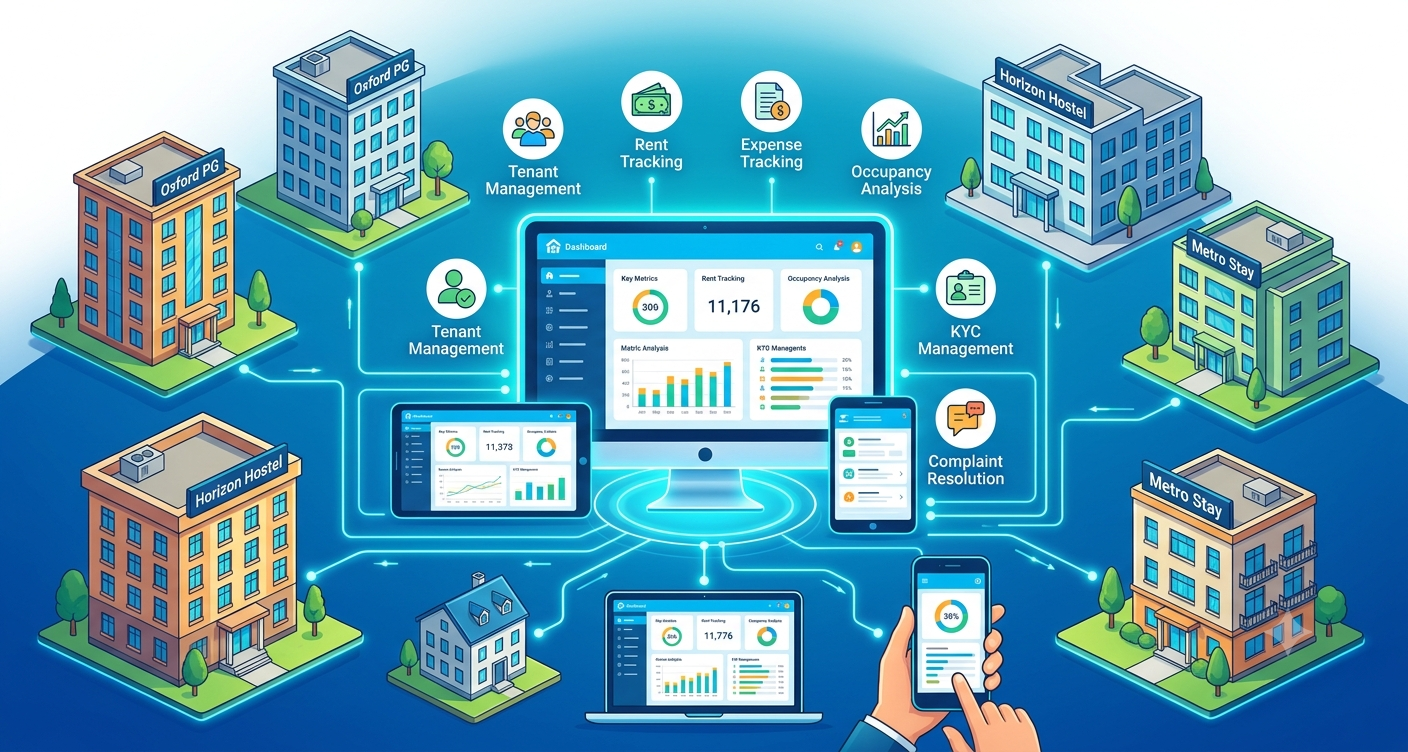
PGCRM generates occupancy, rent collection, and expense reports directly from the same data used for daily operations, so owners don’t need to manually compile numbers from separate registers or spreadsheets. Using PG management software such as PGCRM can help owners review monthly performance quickly, since reports draw from tenant, rent, and expense records that are already centralised in one system.
FAQ
What reports should a PG owner check every month?
At minimum, review occupancy, rent collection, expenses, complaints, and tenant movement. Together, these give a complete picture of how the property performed, not just whether rent came in, but whether the property is actually profitable and running smoothly.
How often should PG management reports be reviewed?
Monthly review works well for most owners, ideally on a fixed schedule like the last few days of the month. Occupancy and rent collection can also be checked more frequently, such as weekly, since vacancies and overdue payments are easier to address the sooner they’re caught.
Why is an expense report important if rent collection looks fine?
Rent collection only shows income, not profitability. A property can have full occupancy and on-time rent while still losing money if expenses have risen unnoticed. An expense report, compared against rent collected, reveals the true financial picture.
Can PG management reports help reduce vacancies?
Yes. Occupancy and tenant movement reports show which rooms or beds are vacant and which tenants are approaching move-out, letting owners plan instead of reacting after a bed sits empty. Catching this pattern early reduces how long vacancies go unnoticed.
What’s the difference between a rent collection report and an expense report?
A rent collection report tracks income: who’s paid, who’s pending, and who’s overdue. An expense report tracks costs: utilities, maintenance, staff, and other spending. Reviewing both together, rather than separately, gives an accurate picture of monthly profitability.
Do I need software to generate PG management reports?
Not strictly, but manually compiling reports from separate registers and spreadsheets takes significant time each month and is more prone to errors. Software that centralises tenant, rent, and expense data can generate these reports automatically from information already recorded during normal daily use.
Conclusion
PG management reports turn a month’s worth of scattered activity into a clear picture an owner can actually act on. Reviewing occupancy, rent collection, expenses, complaints, and tenant movement together and comparing them against previous months helps catch problems early instead of discovering them after they’ve already affected the property. If compiling these reports manually has become time-consuming, explore PGCRM to see how a PG and hostel management platform can generate reports directly from your existing data.