Every recruiter knows this feeling. You have 40 resumes shortlisted, a client waiting for candidates, and a phone that needs to ring 40 times today. Somewhere between screening call number 12 and interview scheduling for candidate number 25, a good profile goes cold because nobody called back on time.
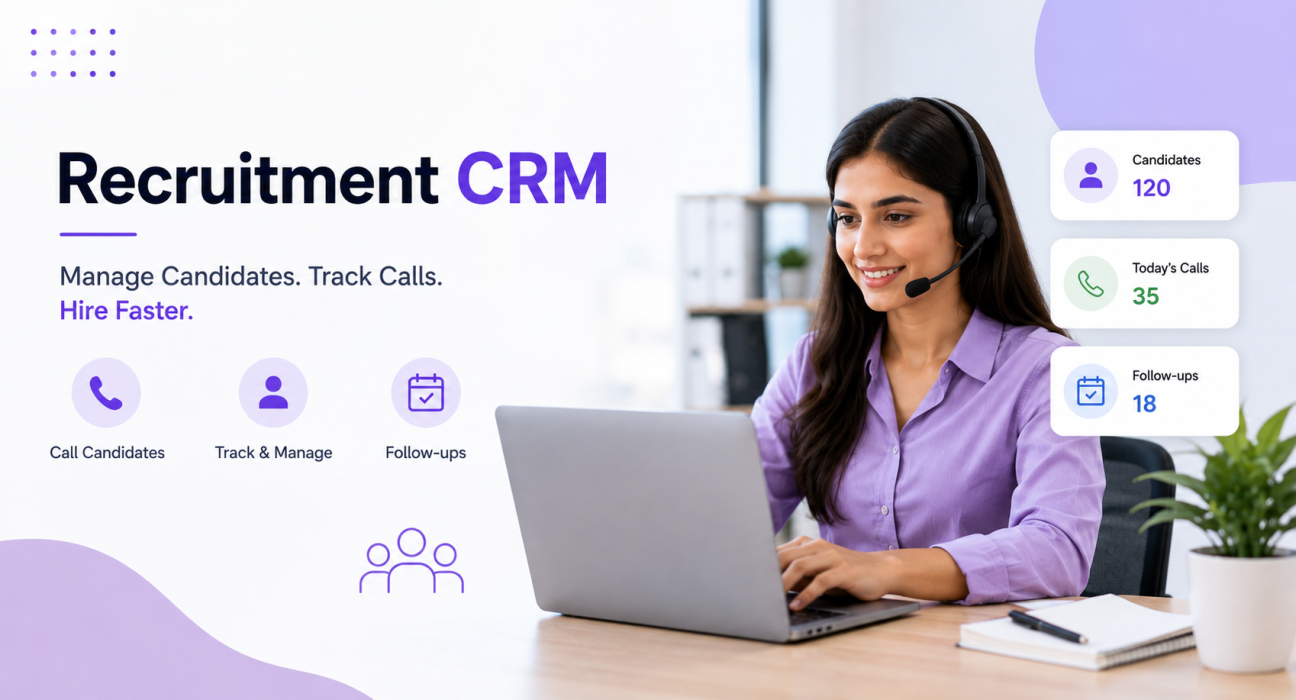
This is not a sourcing problem. It is, in fact, a follow-up and tracking problem, and it is exactly what a recruitment CRM solves. A recruitment CRM gives recruiters one place to call candidates, log outcomes, and move them through screening, interviews and offers without losing track of who needs a callback.
This article explains what a recruitment CRM actually does, which features matter for staffing and recruiting teams, and how to choose one without paying for capability you will never use.
What Is a Recruitment CRM?
A recruitment CRM is software that helps recruiters manage candidates the way a sales CRM helps salespeople manage leads. It tracks every candidate from the moment a recruiter sources or receives their application, right through screening calls, interview scheduling, offer stages and joining.
Unlike a plain applicant tracking system (ATS), a telecalling-focused recruitment CRM puts the phone call at the Centre of the workflow. It queues candidates to call, logs call duration and outcome automatically, and reminds recruiters when a follow-up is due. For staffing and recruiting teams, where success depends on speed and consistent follow-up, this difference matters a lot.
Why Recruiting Is a Telecalling Business First
Recruiters spend most of their working day on the phone, not writing job descriptions. In practice, a single open position can mean:
- Cold calls to source passive candidates
- Screening calls to check fit, CTC expectations and notice period
- Interview scheduling calls, often with reschedules
- Status update calls to keep candidates warm during the client’s decision
- Offer and joining confirmation calls
Now multiply this by 20-30 active requisitions, and it becomes clear why recruiters are, at their core, tele-callers with a hiring goal. A general-purpose spreadsheet or a plain ATS simply cannot keep up with this volume of outbound calling. That is exactly where a recruitment CRM with a built-in dialer and call tracking earns its place.
Core Problems a Recruitment CRM Should Solve
Before comparing features, it helps to be clear on the actual problems staffing and recruiting teams face daily.
1. Candidates slip through the cracks. A recruiter juggling 15 open roles cannot remember which candidate they promised to call back “tomorrow.” Without reminders, good candidates go cold or accept offers elsewhere.
2. No visibility into where each requisition stands. Managers cannot answer “how many candidates are interview-ready for this role” without asking each recruiter individually.
3. Leads scatter across multiple sources. Candidates come from job portals, referrals, website forms and sourcing tools. As a result, recruiters end up checking five places before making a single call.
4. Nobody keeps a record of what was said on the last call. If a recruiter goes on leave, nobody else knows what a candidate mentioned in their previous conversation, which forces an awkward repeat call.
5. Reporting stays manual and delayed. Recruiters build weekly reports from spreadsheets, which takes hours and, by the time they share them, the numbers have often already changed.
A recruitment CRM addresses each of these problems by combining lead capture, calling, tracking and reporting into one workflow.
Must-Have Features in a Recruitment CRM
| Feature | Why It Matters for Recruiting |
|---|---|
| Auto dialer | Queues the next candidate automatically so recruiters spend time talking, not dialing |
| Candidate pipeline stages | Shows exactly where each candidate stands: screened, interview scheduled, interviewed, offer, joined |
| Custom candidate fields | Captures role, experience, current CTC, expected CTC, notice period and location on every call |
| Follow-up reminders | Alerts recruiters before a promised callback is missed |
| Job portal integration | Pulls candidates from portals and forms automatically instead of manual copy-paste |
| Call logging | Records duration and outcome of every call without manual entry |
| Team reporting | Shows recruiter-wise and requisition-wise progress without asking anyone for an update |
| Mobile access | Lets recruiters call and update candidate status from the field, not just the desk |
That said, not every recruiting team needs every feature on day one. A three-person in-house TA team has different needs from a 30-agent RPO floor. Therefore, choose based on your call volume and number of open requisitions, not the longest feature list.
How a Recruitment Pipeline Typically Works
A candidate pipeline for recruiting usually mirrors the actual hiring journey rather than a generic sales funnel. A typical structure looks like this:
- New Candidate – sourced or applied, not yet contacted
- Screened – initial call completed, fit assessed
- Interview Scheduled – candidate confirmed for an interview slot
- Interviewed – interview completed, awaiting client feedback
- Offer – offer extended, awaiting acceptance
- Joined – candidate has joined
- Dropped – candidate withdrew or was rejected at any stage
Having these stages visible on one screen means a hiring manager can see, at a glance, how many candidates are stuck at “Interview Scheduled” for too long, or how many offers are pending acceptance this week.
Real-World Examples
These are illustrative scenarios, not case studies of specific customers.
A staffing agency handling volume hiring for a BPO client might have five recruiters, each juggling 200+ candidates a month. Here, an auto dialer queues candidates automatically while custom fields capture CTC and notice period on every call. As a result, recruiters can filter for “ready to join within 15 days” in seconds instead of scrolling through spreadsheets.
An RPO team running high-volume screening for a client might receive 100+ resumes a day from job portals. In this case, automatic lead capture from portal webhooks drops candidates straight into the pipeline without manual data entry, so screening calls can start within minutes of a resume arriving.
An in-house talent acquisition team hiring for a single company often loses candidates between the final interview and joining date, simply because nobody follows up during the notice period. Scheduled reminders at each stage, however, help keep candidates warm through this gap.
Benefits of Using a Recruitment CRM
- Faster response times – recruiters call candidates while their interest is still fresh, which improves screen-to-interview conversion
- Fewer dropped candidates – automated reminders reduce the number of candidates who go quiet
- Clear pipeline visibility – managers see requisition status without chasing recruiters for updates
- Better data for decisions – CTC, notice period and source data help prioritise the right candidates first
- Less manual admin – recruiters spend more time talking to candidates and less time updating trackers
Common Mistakes to Avoid
Choosing a generic sales CRM and forcing it to fit recruiting. Sales CRMs build their stages around deals – “proposal sent” or “negotiation” – which do not map cleanly to candidate journeys like screening or offer acceptance.
Not capturing structured candidate data. If recruiters type CTC, notice period and role into a free-text notes field instead of structured fields, filtering candidates later becomes nearly impossible.
Ignoring follow-up automation. Manual reminders through calendar apps or sticky notes simply do not scale past a handful of open roles.
Overpaying for features nobody uses. Some CRMs charge extra for basics like mobile access or reporting. Therefore, it is worth checking what the base plan actually includes before committing.
Skipping team training. Even a well-built recruitment CRM fails if recruiters revert to spreadsheets, often because nobody showed them how the calling workflow actually saves them time.
How TeleCalling CRM Supports Recruiting & Staffing Teams
TeleCalling CRM offers a recruiting-specific pipeline with stages that mirror the hiring journey – New Candidate, Screened, Interview Scheduled, Interviewed, Offer, Joined and Dropped – along with custom fields for role, experience, current and expected CTC, notice period, location and source.
Candidates flow in automatically from job-portal webhooks, website forms, referrals and Google Sheets, and then a smart auto dialer queues them for calling, skips DNC numbers, and logs call duration without any manual entry. Additionally, a live war room view shows which recruiters are on calls, idle, or closing offers, which is useful for staffing agencies managing larger floors.
Of course, this is one option among several recruitment CRM tools available, and the right choice for any team depends on call volume, budget and existing workflow. Even so, it is worth evaluating a few options against your actual requisition volume before deciding.
Frequently Asked Questions
What is the difference between a recruitment CRM and an ATS? An applicant tracking system (ATS) focuses mainly on managing resumes, job postings and application status. A recruitment CRM, especially a telecalling-focused one, centers instead on the calling and follow-up workflow – dialing candidates, logging outcomes and tracking pipeline stages through to joining.
Do small recruiting teams need a recruitment CRM? Even a two- or three-person team benefits once they handle more than a handful of open roles at once, because manual tracking through spreadsheets becomes error-prone quickly. Ultimately, the main question is call volume, not team size alone.
Can a recruitment CRM track candidates through the entire hiring process? Yes, a well-built recruitment CRM should track candidates from sourcing through screening, interview scheduling, interviews, offers and joining, with follow-up reminders at each stage so recruiters miss nothing.
What data should a recruitment CRM capture on each candidate? At minimum: role, experience, current CTC, expected CTC, notice period, location and lead source. This lets recruiters filter and prioritize candidates quickly instead of reading through notes.
Can a recruitment CRM connect to job portals automatically? Many recruitment CRMs, including TeleCalling CRM, can receive candidates automatically from job portals that support webhook integrations, along with website forms and referral sources, reducing manual data entry.
Is a recruitment CRM only useful for staffing agencies? No. In-house talent acquisition teams and RPO providers benefit as well, particularly for keeping candidates engaged between the interview and joining stages, which is a common point where teams lose hires.
How is pricing usually structured for recruitment CRM software? Pricing models vary. Some charge per user per month, while others offer flat team pricing regardless of user count. Either way, it is worth comparing total cost for your team size rather than just the headline per-user price a vendor advertises.
Conclusion
A recruitment CRM will not source candidates for you, but it will make sure the candidates you already have do not slip through the cracks between a screening call and a joining date. For staffing agencies, RPO teams and in-house TA functions alike, the biggest wins usually come from three things: structured candidate data, automatic follow-up reminders, and a calling workflow that does not depend on memory or sticky notes.
So, if you are evaluating options, it helps to look at actual pricing and plan details alongside a trial. That way, you can judge whether the calling workflow genuinely fits how your recruiters work day to day.