Best Field Service Management Software in India: Features, Pricing & Comparison
If your team still tracks field visits through WhatsApp updates, paper attendance registers, and end-of-day phone calls, you already know the problem. You find out what happened in the field hours — or days — after it happened. Field service management software fixes that gap. It puts live location, task assignment, proof of visit, and reporting into one system that managers and field staff share in real time.
This guide breaks down what field service management software actually does, which features matter most for Indian field operations, how pricing typically works, and what to compare before you commit to a platform.
What Is Field Service Management Software?
Field service management (FSM) software is a platform that helps businesses assign, track, and verify work by employees outside the office — sales reps, service technicians, delivery staff, collection agents, or auditors. It typically combines:
- GPS-based live location tracking
- Task and visit assignment
- Attendance with geofencing
- Route or beat planning
- Proof-of-visit capture (photos, signatures, OTP)
- Expense and collection tracking
- Reporting and KPI dashboards
Instead of running attendance on paper, updates on chat apps, and expenses in spreadsheets, everything sits in one system that both the field rep’s phone and the manager’s dashboard can see in real time.
Why Field Teams in India Need This Software
Field operations in India come with specific ground realities that generic office software doesn’t account for:
Inconsistent connectivity. Reps working in smaller towns or industrial belts often lose network coverage mid-visit, so software needs to work offline and sync later.
Attendance and visit fraud. Manual attendance and self-reported visit logs are easy to fudge — a punch-in with no location check, or a “visit” that never happened.
Fragmented tools. Many businesses juggle a GPS tracker for location, a separate app for tasks, and spreadsheets for expenses — none of which talk to each other.
Scattered, multi-city teams. Coordinating field staff across cities like Hyderabad, Mumbai, Bengaluru, and Delhi from a central office is difficult without a live, unified view.
Field service management software exists to close exactly these gaps.
Core Features to Look For
Not every FSM platform covers the same ground. Here are the features that matter most, based on what field teams actually run into day to day.
1. Live GPS Tracking and Geofencing
You should be able to see, in real time, where every field rep is, whether they’re on schedule, and whether they actually reached the customer location. Geofencing enforces this by tying attendance and visit check-ins to a defined radius around a site, rather than trusting a manual entry.
2. Field Attendance That Can’t Be Faked
Look for server-time punch-ins rather than device-time stamps, since phone clocks can be manipulated. Combined with geofencing and mock-location (GPS spoofing) detection, this closes one of the most common leakage points in field operations.
3. Task and Visit Assignment
Managers should be able to assign visits or jobs with checklists, priority, and deadlines directly to a rep’s phone, rather than coordinating over calls or messages.
4. Route and Beat Planning
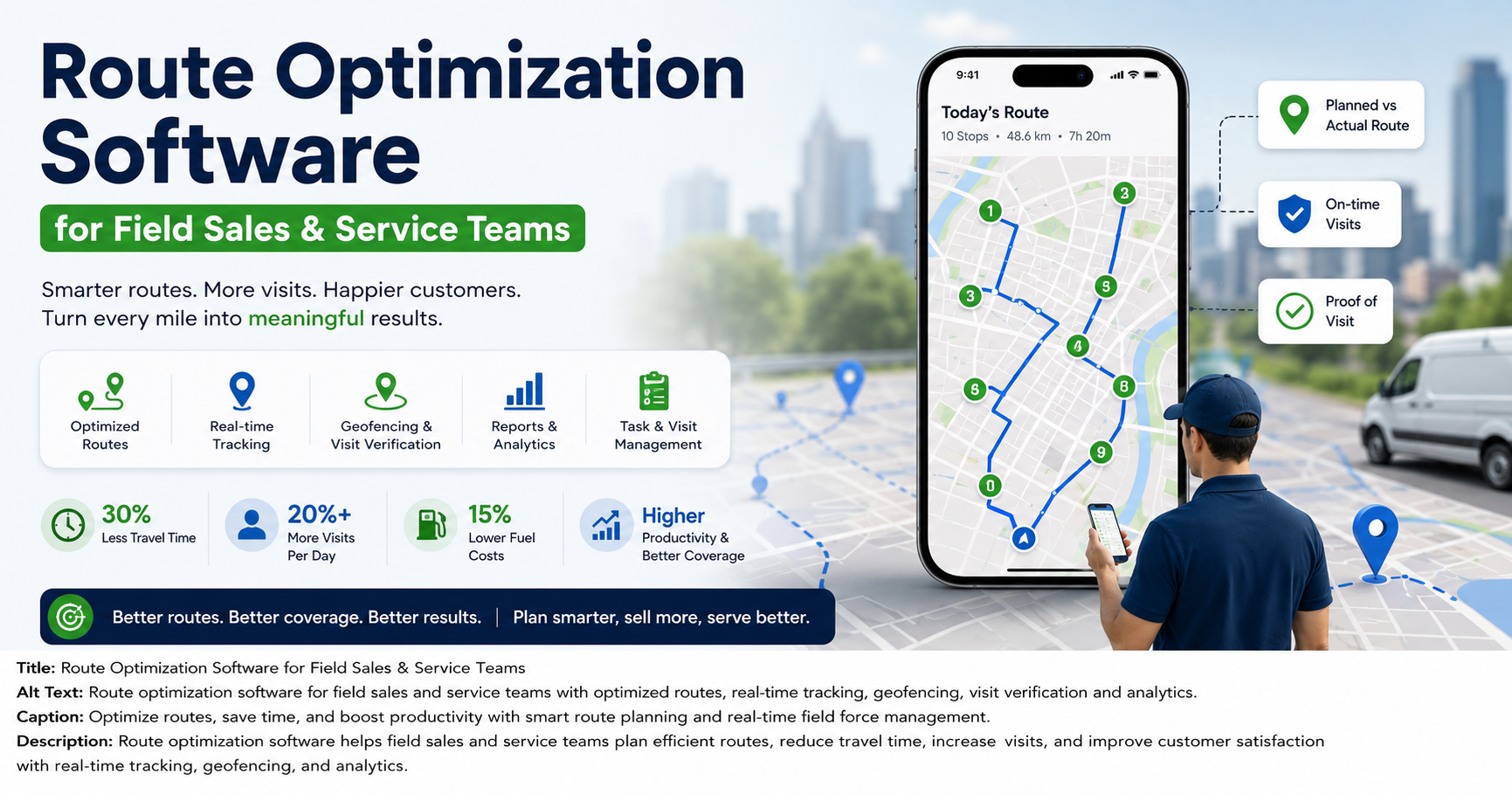
AI-assisted route optimization sequences a rep’s stops to minimize travel distance. For teams doing multiple visits a day, this is often where the biggest time savings come from — fewer kilometers driven means more visits completed.
5. Proof-of-Visit Capture
Reps capture a photo, signature, or OTP before marking a job complete. That gives managers proof of presence and proof of work, not just a status update the rep typed in.
6. SLA Tracking and Escalation
For service and support use cases, SLA timers flag jobs that are at risk of breaching turnaround commitments, so managers can intervene before a customer complains.
7. Expense and Collection Management
Route expense claims through an approval workflow with receipts attached, and track field collections from collection to settlement. Together, these remove two of the most common spreadsheet-dependent processes in field operations.
8. Custom Forms and Workflows
Every industry captures different information on a visit — a pharma rep’s doctor call report looks nothing like a technician’s service ticket. A no-code form builder lets you match the software to your process instead of the other way round.
9. Real-Time Reporting and KPIs
Dashboards showing visits completed, SLA adherence, attendance, and rep-level performance let managers coach the team using data instead of guesswork.
10. Offline-First Mobile App
Given patchy connectivity in many field locations across India, the mobile app should let reps punch in, complete visits, and capture proof without a live connection, syncing automatically once they’re back online.
How to Compare Field Service Management Software
What is the best way to compare field service management software? Compare vendors against four things: the features your workflow actually needs, whether pricing scales sensibly with your team size, how the software performs offline, and how quickly your team can be live and using it.
Here’s a practical comparison framework:
| Comparison Point | What to Check |
|---|---|
| Feature coverage | Does it cover tracking, tasks, proof, routes, expenses and reporting — or only one piece? |
| Offline support | Does the mobile app work with no signal, and sync automatically later? |
| Attendance integrity | Server-time punch-ins, geofencing, and spoof detection — or just a manual check-in button? |
| Customization | Can you build your own forms, job types, and approval workflows without a developer? |
| Pricing model | Per-user monthly pricing, or a fixed cost regardless of team size? |
| Implementation time | Days, or weeks of onboarding and configuration? |
| Industry fit | Built for your specific field workflow (sales, service, collections, delivery), or a generic scheduling tool? |
Software directories list dozens of options. These range from large international enterprise suites to India-focused field-force apps built for local conditions like GST-linked expense workflows, regional languages, and patchy rural connectivity. Enterprise suites often offer deep functionality, but they come with long implementation cycles and quote-based pricing. That tends to suit larger, complex organizations more than small and mid-sized field teams that want to get started quickly.
What Does Field Service Management Software Cost?
Pricing models vary, but most platforms fall into one of these structures:
- Per-user, per-month pricing — you pay based on the number of field users active on the platform, which scales naturally as your team grows.
- Flat fee plus per-seat pricing — a base plan covering core features, with a smaller additional charge per extra user beyond an included count.
- Custom or quote-based enterprise pricing — typical of large global suites, aimed at organizations needing deep customization, integrations, and dedicated support.
[Internal Link Opportunity: FieldExecutives Pricing page] is one example of transparent, India-focused pricing. It structures plans as a base monthly fee plus a small per-seat charge as teams add users, and it includes a 14-day free trial with no card required. Compare this structure against quote-only enterprise pricing — it lets you estimate cost before you ever talk to a salesperson.
Common Challenges Businesses Face Without FSM Software
Before software enters the picture, most field-dependent businesses run into the same recurring issues:
- No visibility once the team leaves the office — managers have no live view of location or visit status.
- Manual attendance and visit logs that get manipulated — paper registers and self-reported check-ins are easy to fudge.
- Expenses and collections tracked in spreadsheets — slow to reconcile and prone to errors.
- No data to coach the team — without visit-level and SLA data, it’s hard to tell which reps or routes are actually productive.
- Route planning done manually every morning — time-consuming and rarely optimized for the day’s actual visits.
Field force management software replaces these manual processes with a live, verifiable system of record.
Best Practices When Choosing and Rolling Out FSM Software
- Map your current workflow first. Know exactly how visits, attendance, and approvals happen today before you evaluate software against it.
- Pilot with one team before a full rollout. A single region or department can surface configuration gaps before you scale company-wide.
- Prioritize offline capability if your team works in low-connectivity areas. This is non-negotiable for many Indian field operations, particularly outside major metros.
- Check how attendance fraud is actually prevented, not just tracked — server-time punch-ins and geofencing matter more than a simple check-in button.
- Confirm the pricing scales the way your headcount will, rather than jumping in cost tiers as you add a handful of users.
Businesses looking to simplify these processes can use field force management software such as FieldExecutives. It brings live tracking, task assignment, proof capture, route optimization, and expense and collection management into a single platform built around Indian field conditions, including offline-first mobile capture and regional language support. Review the full breakdown on the [Internal Link Opportunity: FieldExecutives Features page].
How FieldExecutives Fits Into This Comparison
FieldExecutives is built specifically for field operations in India, covering the core areas outlined above:
- Live map and GPS tracking with server-time punch-ins, geofencing, and mock-location detection
- AI-assisted route and beat planning to reduce daily travel time
- Proof-of-visit capture through photos, signatures, and OTP before a job can be closed
- SLA tracking and escalation for service-based workflows
- Expense claims and field collections tracked from submission through to settlement
- No-code custom forms so the workflow matches your industry rather than a generic template
- Offline-first mobile app for reps working in low-connectivity areas
- Real-time KPI dashboards for managers and business owners
Industries using this kind of platform range from FMCG distribution and pharma field sales to logistics, banking collections, facility management, and field service and repair. See how the platform maps to specific use cases on the [Internal Link Opportunity: FieldExecutives Industries page].
Frequently Asked Questions
What is field service management software?
Field service management software is a platform that helps businesses assign, track, and verify work done by employees in the field. It combines GPS tracking, task management, proof-of-visit capture, and reporting in one system.
How is field service management software different from a GPS tracking app?
A GPS tracking app only shows location. Field service management software also assigns and guides work. It captures proof of completion, optimizes routes, and tracks expenses, collections, and performance — GPS tracking is just one part of it.
How much does field service management software cost in India?
Pricing varies by vendor. India-focused platforms commonly charge a base monthly fee plus a per-seat charge as you add users. Large global enterprise suites are typically quote-based instead. Comparing both models against your team size is the fastest way to estimate real cost.
Does field service management software work without internet access?
Yes, when it’s offline-first. Field reps can punch in, complete visits, and capture proof with no network connection. The app syncs everything automatically once the device reconnects — an important feature given inconsistent connectivity in many parts of India.
Can field service management software stop fake attendance?
Yes, when it combines server-time punch-ins with geofencing and mock-location (GPS spoofing) detection. A manual check-in with no location verification won’t stop it.
Which industries use field service management software?
Common users include FMCG and distribution, pharma and medical sales, logistics and last-mile delivery, field service and repair, banking and collections, facility management, and retail merchandising. Essentially, any business with employees working outside a fixed office can use it.
How long does it take to implement field service management software?
Implementation time depends on the vendor and how complex your workflow is. India-focused platforms are often built for quick setup: you configure workflows, upload a team roster, and go live within days. Large enterprise suites can take considerably longer because of deeper integration requirements.
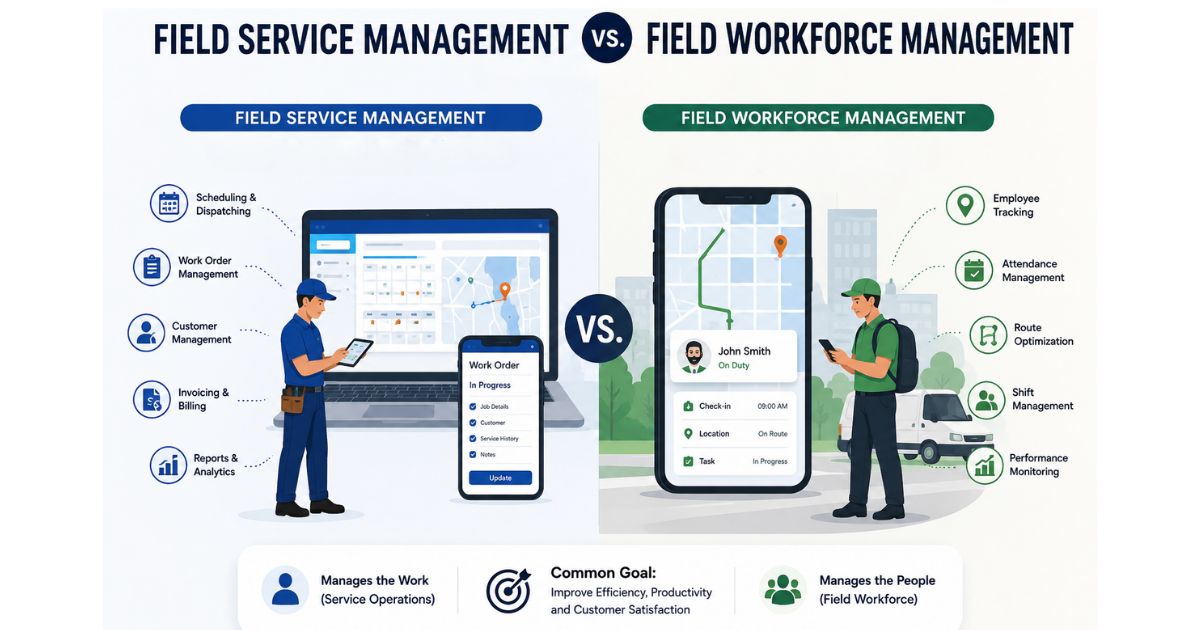
What is the difference between field service management and field force management software?
The terms are largely interchangeable. “Field service management” leans toward service and repair use cases like technicians, SLAs, and work orders. “Field force management” often describes sales, distribution, and collections teams — but most modern platforms, including FieldExecutives, cover both.
Conclusion
Choosing field service management software comes down to matching features and pricing to how your field team actually works — not picking whichever platform ranks first on a review site. Prioritize offline capability if connectivity is inconsistent for your team, confirm how attendance fraud is actually prevented, and make sure pricing scales sensibly as your headcount grows.
If your team is still coordinating field visits through spreadsheets and WhatsApp, moving to a dedicated platform is one of the more measurable operational changes you can make. [Internal Link Opportunity: FieldExecutives Demo/Contact page] to see how FieldExecutives maps to your specific field workflow before you commit to a plan.