How to Reduce Repeat Service Visits With Better Field Data
A technician visits a customer, closes the ticket, and leaves. Two weeks later, the same customer calls about the same problem. Now you are paying for a second visit, the customer is frustrated, and your SLA clock is running.
This is why repeat service visit management matters. Every unnecessary return trip costs fuel, technician hours, and customer goodwill. In most cases, the cause is missing or poor-quality information, not a lack of technician skill.
This guide explains what causes repeat visits, which field data helps prevent them, and how to build a process around that data. It also covers how field force management software can support the work.
What Is Repeat Service Visit Management?
Repeat service visit management is the practice of tracking, analyzing, and reducing the number of times a field team must return to the same customer or issue after a job was marked complete.
It combines three things:
- Measurement: knowing how often repeat visits happen and why
- Data capture: recording accurate, structured information during every visit
- Process improvement: using that data to fix root causes, such as incomplete diagnosis, missing parts, or unclear handovers
Why Repeat Service Visits Happen
Repeat visits rarely have a single cause. In most field operations, they trace back to a handful of recurring gaps.
1. Incomplete Problem Information Before the Visit
If the technician arrives without knowing the asset history, past complaints, or the exact fault reported, diagnosis becomes guesswork. A first visit that ends with “need to check further” is a repeat visit waiting to happen.
2. Missing Parts or Tools
When a technician diagnoses the issue correctly but lacks the right part, the job cannot be finished. Without data on the issue type, the dispatcher cannot send the right equipment the first time.
3. Poor Documentation of Work Done
Notes like “issue fixed” or “checked and OK” tell the next person nothing. If a different technician handles the follow-up, they start from zero.
4. Unverified or Incomplete Visits
Sometimes a visit is marked complete without the work being finished, or without the technician reaching the customer site at all. Without verification, these visits show up later as repeat complaints.
5. No Root Cause Tracking
If you only record that a visit happened, not why it was needed again, you cannot fix the pattern. Teams keep repeating the same mistakes because the data is not there to show them.
Which Metrics Show Whether You Have a Repeat Visit Problem?
Start with a small set of numbers you can track consistently:
| Metric | What It Tells You |
|---|---|
| Repeat visit rate | Share of jobs that needed a return visit for the same issue |
| First-time fix rate | Share of jobs resolved completely on the first visit |
| Average visits per resolved issue | How many trips it takes to close a problem |
| SLA compliance rate | Whether jobs are closed within agreed timelines |
| Reopened ticket rate | How often “closed” jobs come back |
Track these by technician, territory, issue type, and product or asset. Averages hide problems, and segmentation shows where they sit.
What Field Data Helps Reduce Repeat Visits?
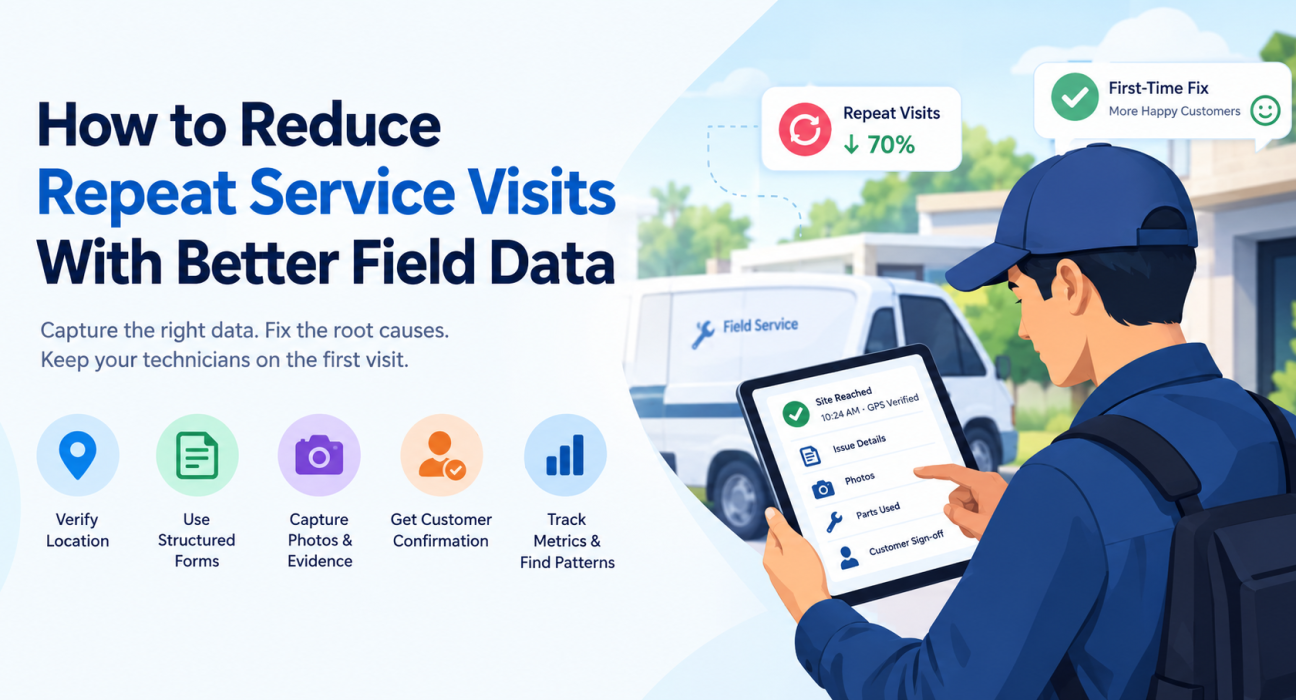
The field data that most reduces repeat visits is structured, verified, and captured at the time of the visit. That means standard forms, timestamped location proof, photos, and recorded outcomes, not free-text notes written later from memory.
Visit Verification Data
Confirm that the technician actually reached the right location and when. GPS-based check-ins and geofencing give you reliable proof of presence, arrival time, and time spent on site.
Structured Job Forms
Replace open-ended notes with custom forms that ask the same questions every time:
- What was the reported issue?
- What was the diagnosed cause?
- What action was taken?
- Which parts were used or still required?
- Is the issue fully resolved, partly resolved, or pending?
- Does the customer confirm the fix?
Structured responses can be filtered and analyzed. Free text cannot.
Photo and Evidence Capture
Before-and-after photos, serial numbers, and readings give the next technician context. They also reduce disputes with customers about what was done.
Customer Confirmation
A sign-off or confirmation at the end of the visit catches “not really fixed” situations before the technician leaves the site.
Reason Codes for Return Visits
When a return visit is unavoidable, capture why. Common reason codes include:
- Part unavailable
- Incorrect diagnosis
- Customer not available
- Access issue
- Issue recurred after fix
- Additional work required
After a few weeks, these codes show where your process is leaking.
How to Reduce Repeat Service Visits: A Step-by-Step Process
- Define what counts as a repeat visit. Decide the time window and the matching rule, such as the same customer and same issue within a set number of days.
- Standardize job closure. Make complete data entry mandatory before a job can be marked done.
- Capture data at the point of work. Use mobile forms so technicians record information on site, not at the end of the day.
- Verify every visit. Use location and time data to confirm that visits happened as reported.
- Tag every return visit with a reason. Use a fixed list of reason codes.
- Review patterns weekly. Look at repeat visits by technician, issue type, and asset. Look for clusters, not one-off failures.
- Fix the root cause. This might mean training, better parts stocking, revised checklists, or smarter job assignment.
- Feed learning back into dispatch. Send the right technician with the right parts based on issue history.
How Better Dispatch and Planning Support First-Time Fixes
Data capture is only half the picture. The other half is using it before the visit.
Match the job to the technician. If your records show which technicians resolve certain issue types most reliably, assign accordingly.
Prepare the technician. Share the customer’s visit history, previous notes, and photos before they leave. A technician who knows the previous attempt failed because of a worn component will bring the part.
Plan routes with time for the job. Rushed technicians skip steps. Realistic scheduling, with route planning that accounts for job duration, reduces corner-cutting.
Set SLA visibility. When supervisors can see jobs approaching their SLA deadline, they can intervene before a missed resolution becomes a second visit.
Manual Tracking vs. Software-Based Tracking
| Area | Manual (Paper, Calls, Spreadsheets) | Field Force Management Software |
|---|---|---|
| Visit proof | Verbal confirmation | GPS check-in with timestamps |
| Job notes | Free text, often delayed | Structured forms filled on site |
| Repeat visit tracking | Difficult to match jobs | Searchable history by customer and issue |
| Reporting | Compiled manually | Real-time dashboards |
| Accountability | Hard to verify | Verified activity logs |
| Root cause analysis | Mostly guesswork | Pattern analysis from reason codes |
Spreadsheets can work for a small team, but they break down as visit volume grows. Time-consuming data entry also tends to lead to incomplete records, which is the problem you are trying to solve.
How Field Force Management Software Helps Reduce Repeat Visits
Businesses looking to simplify these processes can use field force management software such as FieldExecutives. The software brings the data capture, verification, and reporting steps above into one system that technicians use on their phones.
Depending on how your operations are set up, the relevant capabilities include:
- Field visit management: Assign visits, track status, and see which jobs are completed, pending, or delayed.
- GPS tracking and geofencing: Verify that a field employee reached the customer location and how long they stayed.
- Custom forms and workflows: Build job checklists and closure forms that capture the exact data your business needs before a visit can be closed.
- Task management: Assign follow-up tasks, so a pending part or an unresolved issue does not get lost.
- Customer visit verification: Create a reliable record of on-site activity.
- Real-time reporting: Give managers visibility into visit outcomes, so repeat patterns surface quickly.
- SLA management: Monitor jobs against service timelines and spot at-risk jobs early.
Features and plans can differ, so check the FieldExecutives website or ask for a demo to confirm what fits your use case.
A Practical Example
Consider an HVAC maintenance company whose customers keep reporting that cooling issues return a week after service.
After standardizing closure forms and adding reason codes, the manager notices that most return visits involve the same component type, and that those jobs were often closed with a short note and no photo. The team adds a checklist step for that component, requires a photo and reading before closure, and stocks the common replacement part on service vehicles.
This is an illustrative scenario, not a customer case study. It shows the pattern: better data reveals the cause, and the cause points to a specific fix.
Best Practices to Keep Repeat Visits Low
- Keep forms short but specific. Long forms lead to skipped fields.
- Make closure conditional. No required data, no closed ticket.
- Use dropdowns and checklists instead of open text where possible.
- Review data with technicians, not only about them. They often know the real cause.
- Separate avoidable from unavoidable repeat visits. Customer unavailability differs from a diagnosis failure.
- Audit a sample of closed jobs monthly to test data quality.
- Track trends over time, not just single weeks.
Conclusion
Repeat service visits are expensive, but they are also one of the more fixable problems in field operations. The fix starts with better information: verified visits, structured job data, clear reason codes, and honest review of what the numbers show.
Effective repeat service visit management comes down to capturing the right data at the right moment, then acting on it. Field force management software helps by making that data easy for technicians to record and easy for managers to analyze.