How to Create and Manage Sales Call Reminders: A Practical Guide for Telecalling Teams
A telecaller tells a lead, “I will call you back on Thursday at 11 AM.” Thursday gets busy, the note stays in a notebook, and the call never happens. Multiply that by ten callers and a few hundred leads, and a lot of genuine interest quietly goes cold.
Sales call reminders fix this problem. When a team uses lead follow-up software with built-in sales call reminders, every promised callback gets a date, a time, an owner and a status, so nothing depends on memory. This guide explains how to create reminders, manage them across a team, and avoid the mistakes that make them useless.
What Are Sales Call Reminders?
Sales call reminders are scheduled alerts that tell a salesperson when to call a lead or customer again. Each reminder is linked to a specific lead, a date and time, and usually a short note on what to discuss, so the caller knows why they are calling before they dial.
They are different from a general to-do list because they sit inside the lead’s record and call history. A good reminder system also shows overdue calls, so a missed follow-up becomes visible instead of being silently forgotten.
Why Sales Call Reminders Matter
Many sales need more than one conversation. Leads ask for time, want to discuss with family or a manager, or need a quote first. The deal is often decided in the follow-up, and follow-up depends on remembering.
Delay is a common problem. A 2011 Harvard Business Review study of online sales leads found that, among companies that replied within 30 days, the average first response took 42 hours. That research looked at first replies to online enquiries in US companies, but the lesson applies to callbacks as well: delays are normal, and a system can prevent them. smartcompanyainora
Without reminders, teams usually face:
- Missed callbacks and broken promises to leads
- Hot leads treated the same as cold ones
- Managers who learn about lost leads only at month-end
- Follow-ups that depend on one agent’s memory, and disappear when that agent is absent or leaves
How to Create Sales Call Reminders: 7 Steps
To create an effective sales call reminder, schedule it immediately after the call, choose a date and time based on what the lead said, add a short note on the next step, set a priority, and close the reminder only after logging the outcome of the follow-up call.
1. Set the reminder right after the call
Do it before the next dial, while the conversation is fresh. A reminder created at the end of the day is usually vaguer, and sometimes never created at all.
2. Use the lead’s time, not a default
If the lead says, “Call me after 6 PM on Friday,” set exactly that. A default like “tomorrow morning” ignores the request and feels like a cold call again.
3. Write a specific note
“Call back” is not enough. Write: “Wants fee details for the two-year course; send brochure on WhatsApp first.” Anyone on the team should be able to continue the conversation from that note.
4. Set priority and link it to the pipeline
A lead ready to decide this week needs an earlier reminder than someone who is “just exploring.” Use lead temperature (hot, warm, cold) and your pipeline stages to decide how soon and how often to follow up.
5. Choose the right channel
Not every follow-up needs a call. Sometimes a WhatsApp message or email should go first, followed by a call. Mark each reminder as a call, message or email so the agent knows the plan.
6. Stay within calling hours
India’s TRAI telemarketing rules restrict unsolicited commercial calls to the hours between 9 AM and 9 PM. Schedule reminders inside that window and respect do-not-call lists. Regulations change, so check the latest TRAI guidance for your category of calls. traiexotel
7. Close the loop
After the follow-up, record the outcome and either complete the reminder or set the next one. A lead with no upcoming reminder is a lead nobody owns.
How to Manage Sales Call Reminders Across a Team
Creating reminders is the easy part. Managing them is where teams succeed or fail.
- Start the day with the list. Agents should open today’s and overdue reminders first, then fresh leads.
- Clear overdue reminders daily. Set a rule, for example: anything overdue by 24 hours goes to the team lead.
- Measure completion, not creation. The share of reminders completed on time says more than how many were created.
- Reassign when needed. If an agent is on leave or quits, move their upcoming reminders to someone else the same day.
- Avoid alert overload. If agents receive too many alerts, they stop reading them. Cap daily follow-ups per agent and rank by priority.
- Review weekly. Check overdue counts per agent, leads with no next reminder, and leads rescheduled again and again.
Sales Call Reminder Methods Compared
| Method | Works for | Main limitation |
|---|---|---|
| Memory or notebook | A handful of leads | Easy to forget; no visibility for managers |
| Excel or Google Sheets | Small lists, early stage | No automatic alerts; easy to overwrite or miss |
| Phone alarms or calendar | Personal reminders | Not linked to lead history; lost when the agent leaves |
| CRM or lead management software | Teams handling many leads | Needs setup and team discipline |
Examples of Reminder Timing by Industry
These are hypothetical examples to show how timing can follow the conversation.
- Real estate: A buyer says the family will visit the site on Saturday. Set one reminder on Friday evening to confirm the visit and another for Saturday afternoon to follow up. A real estate CRM can keep these site-visit follow-ups in one place.
- Education: A parent wants time to discuss admission fees. Send the fee details on WhatsApp, then set a call reminder for two days later. See how an education CRM fits this counselling flow.
- Insurance: A policy expires in 30 days. Set reminders at 30, 15 and 7 days before expiry. An insurance CRM suits this kind of renewal cycle.
- B2B sales: A prospect says budget approval comes next month. Set a reminder in three weeks to check status, with a short email in between.
Common Mistakes to Avoid
- Writing vague reminders such as “follow up”
- Creating reminders without notes or context
- Treating every lead with the same priority
- Ignoring the overdue list until the week ends
- Setting so many reminders that agents stop trusting them
- Closing a reminder without recording what happened
- Scheduling calls outside permitted calling hours
How TeleCalling CRM Helps With Sales Call Reminders
TeleCalling CRM is telecalling software for outbound sales teams in India, combining an auto dialer, lead management and follow-up scheduling. Based on the features listed on its website, the reminder side includes:
- One-tap callback scheduling with quick presets or a custom date
- Reminders before a call is due, with overdue calls flagged
- Smart timing that can create the next follow-up from the call outcome
- Priority-aware lead time, so hot leads are reminded sooner
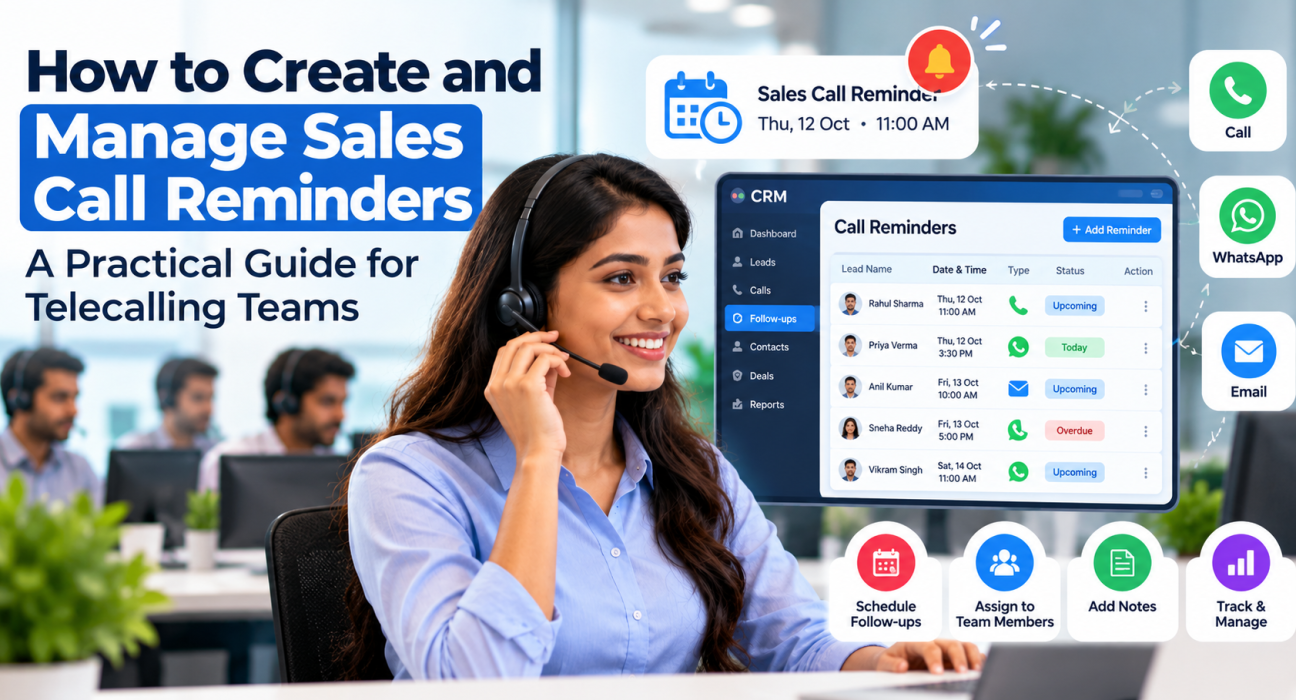
- Today, Overdue and Upcoming lists in the admin panel, with completion tracking per agent
- A follow-up-due trigger in automation workflows, which can send SMS, email or WhatsApp messages
Agents can also schedule follow-ups from the phone right after a call, as the mobile app guide explains, while managers can watch live activity in the War Room. If you want to test the flow with your own leads, the website lists a 3-day free trial.
Frequently Asked Questions
How do I set up a reminder for a sales call?
Right after the call, open the lead’s record, choose the date and time the lead agreed to, add a short note on what to discuss, and set a priority. Save it, and mark it complete only after you have logged the outcome of the follow-up call.
What should a sales call reminder include?
At minimum: the lead’s name and number, date and time, reason for the call, a summary of the last conversation, priority, and the assigned agent. Anyone opening the reminder should be able to start the conversation without searching for context.
How soon should a telecaller follow up after a call?
Follow the time the lead agreed to. If no time was agreed, it depends on your sales cycle: a lead ready to buy this week may need contact within a day or two, while a long B2B cycle may suit a week or more. Hot leads should always be called sooner than cold ones.
How many follow-up reminders should I set for one lead?
There is no universal number. Set a limit that fits your sales cycle. For example, a team might make up to five attempts over two weeks, then move unresponsive leads to a slower nurture list. Review your connect rates and adjust.
Can I manage sales call reminders in Excel or Google Sheets?
You can for a small number of leads, but it becomes difficult as volume grows. Sheets do not alert callers on their own, do not show overdue calls to managers automatically, and keep no call history. A CRM for telecallers handles all of this in one place.
Does TeleCalling CRM have sales call reminders?
Yes. TeleCalling CRM includes follow-up scheduling with reminders before calls are due, overdue alerts, and Today, Overdue and Upcoming lists. Agents can also schedule follow-ups from the mobile app after a call. The website lists a 3-day free trial for testing.
Conclusion
Good sales call reminders are specific, timely and visible to the whole team. Set them right after the call, base the timing on what the lead said, add useful notes, and review overdue items every day. These habits matter more than any single tool.
If you are comparing software to support this process, this guide on how to choose a telecaller CRM explains what to look for before you decide.