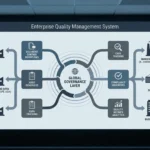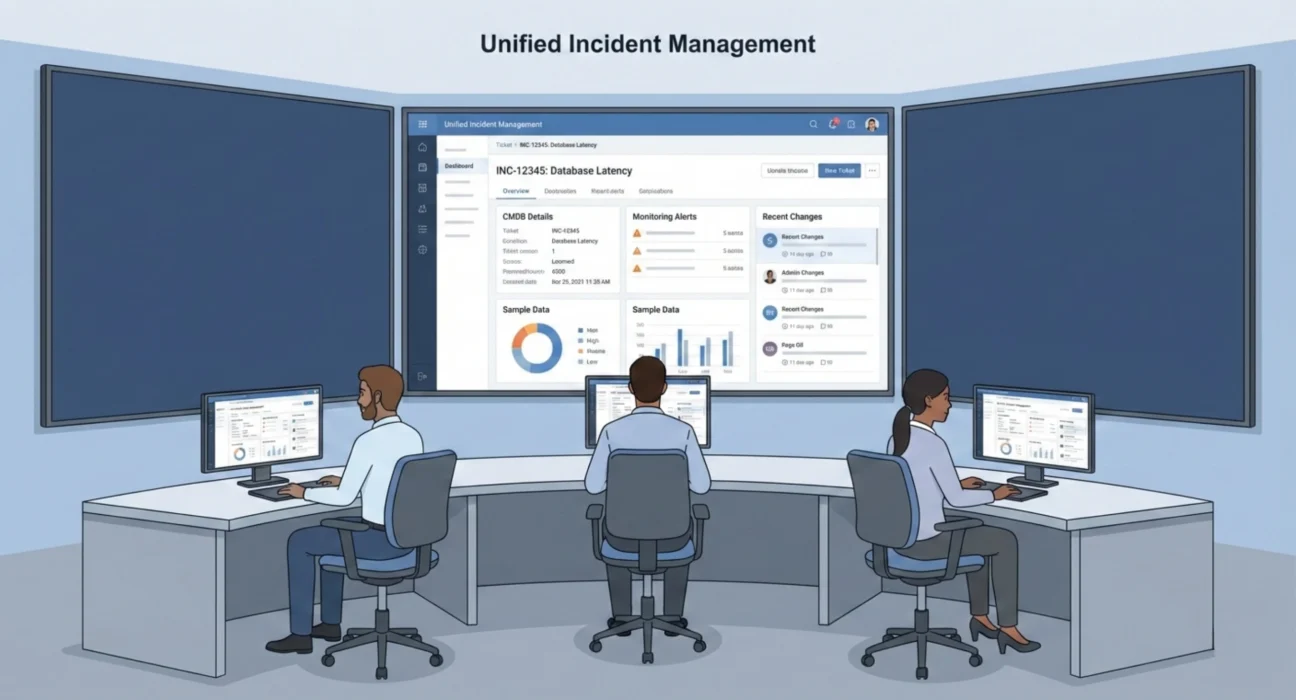
A ticketing system in isolation handles requests and tracks incidents. But in a real enterprise environment, tickets don’t exist in isolation. They’re connected to everything else. Configuration items in your CMDB, alerts from your monitoring platforms, changes in your deployment pipeline, identities in your directory services, assets in your inventory system, and approvals in your workflow tools.
When these connections don’t exist or don’t work properly, your teams waste enormous amounts of time on manual lookups, context switching, and data entry. Engineers copy information between systems. Support staff ask users for details that already exist in other tools. Managers compile reports by pulling data from six different places and reconciling it in spreadsheets.
Integration eliminates this waste, but only if it’s done properly. Poor integration creates different problems. Data conflicts, synchronization failures, performance issues, and maintenance complexity. The challenge at enterprise scale isn’t whether to integrate your ticketing system. It’s how to do it in a way that’s reliable, maintainable, and actually improves operations instead of creating new headaches.
Why Integration Matters More Than You Think
The business case for integration often focuses on efficiency gains. Fewer manual steps, faster ticket resolution, and less duplicate data entry. Those benefits are real, but they understate the actual impact.
Integration changes the quality of decisions your teams can make. When an incident ticket automatically includes configuration data from the CMDB, your engineers immediately know what systems are affected, who owns them, what dependencies exist, and what changes were made recently. They can start troubleshooting with complete context instead of spending the first thirty minutes gathering basic information.
When your ticketing system connects to monitoring tools, alerts can automatically create tickets with full diagnostic data attached. The ticket includes the specific error messages, affected hosts, performance metrics, and timeline of the issue. Your engineers see the problem in context rather than getting a vague user report that something isn’t working.
When your ticketing system integrates with identity management, access requests can be processed with complete visibility into what the user already has, what their role should allow, and what approvals are required. The process moves faster because the information needed to make decisions is immediately available.
These integrations compound. Each one eliminates friction, reduces errors, and improves the speed and quality of service delivery. Over hundreds of tickets per day across multiple teams, the cumulative impact is substantial.
The Systems That Need to Connect
Not every system in your environment needs to integrate with your ticketing platform. Focus on the connections that have the highest operational impact.
Your CMDB is the most critical integration. Tickets need to reference configuration items so you can see what’s affected and understand dependencies. When someone reports a problem with an application, the ticket should automatically link to that application’s CI record, showing you what servers it runs on, what databases it uses, what other services depend on it, and who owns it. This context is essential for both incident response and change management.
Monitoring and alerting systems should create tickets automatically for issues that require human attention. The integration needs to include enough diagnostic information so engineers can start troubleshooting immediately, and it needs to avoid creating duplicate tickets when multiple alerts fire for the same underlying problem. Proper deduplication logic matters as much as the integration itself.
Identity and access management systems enable automated provisioning and deprovisioning. When someone requests access, the ticketing system should check their role, determine what approvals are needed, route the request appropriately, and trigger the actual provisioning once approved. When someone leaves the organization, the system should automatically create tickets to revoke access across all relevant systems.
Change management platforms need tight integration with ticketing systems because changes and incidents are deeply connected. When an incident occurs shortly after a deployment, that correlation matters. When someone requests a change, you need to see what incidents have affected that system recently. The data should flow in both directions.
Asset management systems provide the hardware and software inventory context that tickets often need. When someone reports a laptop problem, the ticket should show what model it is, when it was issued, what software is installed, and what warranty coverage exists. This information affects how the ticket gets handled and how quickly it can be resolved.
Collaboration platforms like Slack or Teams increasingly serve as the front end for ticket creation and updates. Engineers want to create tickets without leaving their communication tools, and they want notifications delivered where they’re already working. These integrations need to be bidirectional so information stays synchronized.
What Makes Integration Difficult
The technical work of connecting two systems isn’t particularly complex for skilled engineers. The difficulty comes from everything around the technical implementation.
Data model mismatches create immediate challenges. Your ticketing system represents information one way, your CMDB represents it differently, and your monitoring tools use yet another structure. Mapping between these models requires decisions about which system is authoritative for what data, how to handle fields that don’t have equivalents, and what to do when the same entity is represented differently in different systems.
Authentication and authorization across systems introduce security complexity. The integration needs proper credentials, but those credentials need to be managed securely, rotated regularly, and scoped appropriately. Many organizations struggle with this and end up with overly permissive service accounts that create security risks.
Error handling determines whether integrations are reliable or frustrating. What happens when the target system is unavailable? What happens when data validation fails? What happens when an API rate limit is hit? Poor error handling means integration failures cascade into user-facing problems or silent data inconsistencies.
Performance impacts matter at scale. An integration that works fine in testing can cause problems in production when handling thousands of tickets per day. API calls that take two seconds each become bottlenecks. Database queries that work for small datasets time out with real volumes. These issues only surface under production load.
Change management across integrated systems is inherently complicated. When one system gets upgraded, the integration might break. When data models change, the mapping logic needs updates. When APIs evolve, integration code needs modification. Without proper governance, these changes happen independently, and integrations fail unexpectedly.
Building Integrations That Last
Successful enterprise integrations follow patterns that reduce complexity and increase reliability.
Use APIs rather than direct database access whenever possible. APIs provide stability because the interface is versioned and changes are managed. Direct database access creates tight coupling that breaks when schemas change. Yes, APIs are sometimes slower, but the reliability tradeoff is almost always worth it.
Implement proper error handling and retry logic from the start. Network issues happen. Target systems go down for maintenance. Rate limits get hit during peak loads. The integration needs to handle these situations gracefully without losing data or requiring manual intervention. Queue-based architectures work better than synchronous API calls for most enterprise integrations.
Build observability into every integration. You need logging that shows when integrations run, what data they process, whether they succeed or fail, and how long they take. When something goes wrong, troubleshooting should take minutes, not hours. Monitoring should alert you to integration failures before users report problems.
Document the integration thoroughly. Not just the technical architecture, but the business logic, the data mappings, the error handling rules, and the dependencies. When the engineer who built it leaves or moves to another project, someone else needs to be able to maintain it. Poor documentation makes integrations unmaintainable over time.
Establish clear ownership and support processes. Who is responsible when an integration breaks? Who makes decisions about changes? Who has the access needed to troubleshoot? These questions need explicit answers, not assumptions. Ambiguous ownership leads to outages that take too long to resolve.
Common Patterns and When to Use Them
Different integration patterns work better for different scenarios. Choosing the right approach matters.
Real-time synchronous integration works when immediate consistency is required and both systems are reliably available. When a ticket is created, it immediately triggers actions in other systems. This provides instant feedback but creates tight coupling and can impact performance.
Asynchronous event-driven integration works better for most enterprise scenarios. Changes in one system generate events that other systems process when convenient. This decouples systems, improves resilience, and handles scale better. The tradeoff is eventual consistency rather than immediate consistency.
Scheduled batch integration is appropriate for data that doesn’t need to be current to the minute. Nightly synchronization of reference data, periodic reconciliation of records, and bulk imports of historical information. Batch processes are simpler to implement and troubleshoot than real-time integrations.
Hub and spoke architecture using an integration platform makes sense when you have many systems that need to connect. Rather than building point-to-point integrations between every system pair, you connect each system to a central hub that handles routing and transformation. This reduces the total number of integrations you need to maintain.
How Ozrit Approaches Integration Programs
Ozrit’s work on ticketing system integrations starts with mapping your current architecture and understanding which integrations will have the biggest operational impact. Not every possible connection is worth building. The team identifies the three to five integrations that will eliminate the most friction and deliver the clearest benefits.
The discovery phase includes a detailed technical analysis of each system that needs to connect. API capabilities, authentication methods, data models, performance characteristics, and change management processes. This analysis identifies technical risks early and shapes the integration approach.
Implementation follows a phased approach rather than trying to deliver everything at once. The first phase typically covers the highest-impact integrations with clear business value. Subsequent phases add more sophisticated capabilities or additional systems. This allows you to realize benefits sooner and adjust the approach based on what you learn.
Each integration program has a senior delivery lead who owns the end-to-end implementation. They coordinate across the teams that own different systems, manage dependencies, handle issues that arise, and ensure the work stays on track. You’re not coordinating between multiple vendors or trying to get different teams aligned yourself.
The team typically includes six to ten people during active development, depending on the number and complexity of integrations. Integration architects who design the technical approach, developers who build the connections, testing specialists who validate functionality and performance, and operations engineers who ensure production readiness.
Realistic timelines for enterprise integration programs run four to six months for a comprehensive set of integrations. Individual integrations can be delivered faster, but properly implementing multiple integrations, including testing, performance validation, documentation, and transition to operations, takes time. Rushing creates technical debt that costs more to fix later.
Ozrit provides 24/7 support after integrations go live because integration issues don’t respect business hours. When an integration fails or performance degrades, you need engineers who understand the architecture and can troubleshoot effectively. That means access to the team that built it, not generic support staff reading documentation.
Maintaining Integrations Over Time
Getting integrations working is the beginning, not the end. They need ongoing maintenance as systems evolve, data volumes grow, and business requirements change.
Regular health checks catch problems before they impact operations. Monitor integration performance, review error logs, validate data consistency, and check API rate limit usage. Many integration issues start small and grow gradually. Catching them early makes fixes straightforward.
Change coordination between systems requires governance. When one system plans an upgrade, you need to assess integration impacts, test in non-production environments, and plan for any required integration changes. This coordination needs to be part of your normal change management process, not an afterthought.
Documentation needs to stay current. When integration logic changes, the documentation should be updated immediately. When new people join the team, they need accurate information about how integrations work and what to do when problems occur. Outdated documentation is worse than no documentation because it misleads people during troubleshooting.
Performance optimization becomes necessary as volumes grow. An integration that worked fine at a lower scale might need tuning as ticket volumes increase. Caching strategies, batch sizes, API call patterns, and database query optimization. These adjustments should be made proactively based on monitoring data, not reactively after performance becomes a user-visible problem.
Your ticketing system integrations represent how well your tools work together to support operations. When they’re done properly, your teams spend time solving problems rather than gathering context or copying data between systems. When they’re done poorly or not at all, the inefficiency compounds across every ticket and every engineer. The difference shows up in service delivery speed, team productivity, and whether your expensive tools actually deliver the value they promised.